ClapClip AI
AI Video & Image Enhancer
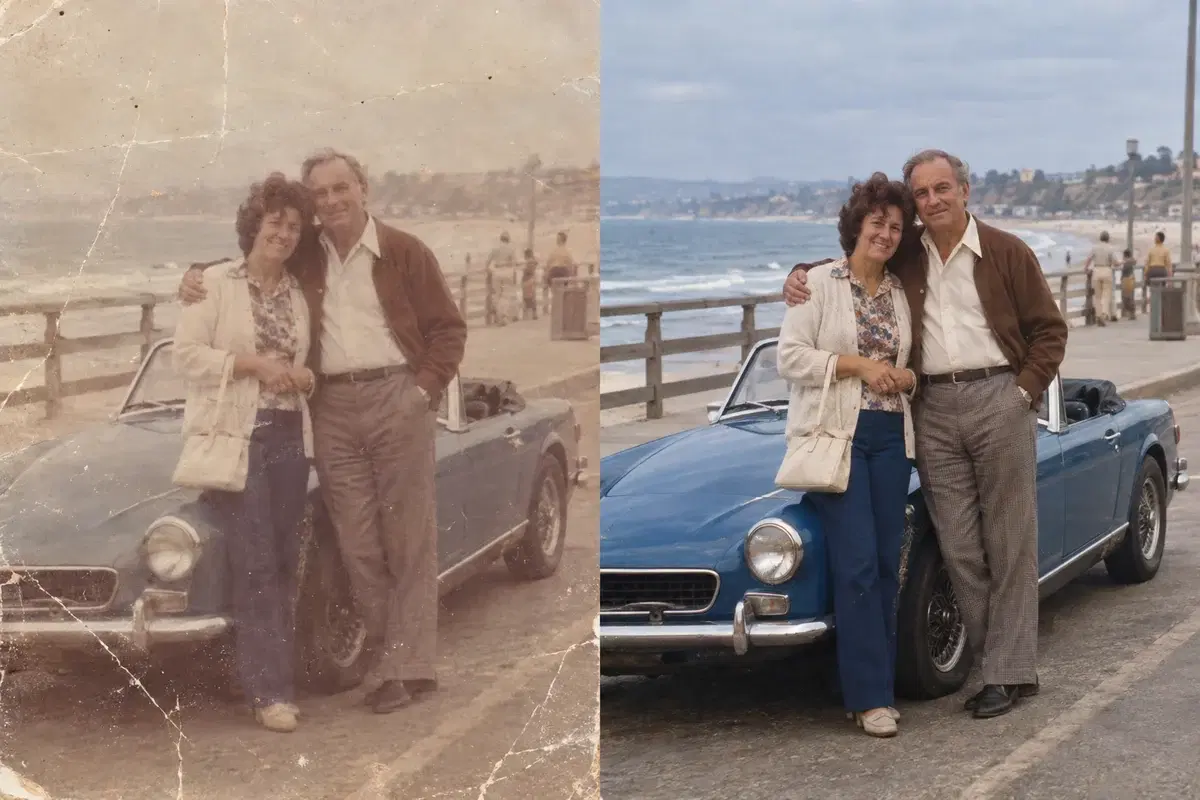
ClapClip's AI Enhancer improves video and image quality on your Windows PC. Give it a low-resolution clip, a grainy photo or faded old footage, and it upscales, denoises, sharpens and restores detail on your GPU. Nothing is uploaded and there are no per-file credits.
- Upscale, denoise, sharpen, and restore in one app
- General, Anime, and Portrait enhancement modes
- Runs locally on Windows 10 & 11 with GPU acceleration
- No uploads, no per-file credits
Windows 10 & 11
Explore AI Enhancer
Video enhancement tools
AI Video Enhancer
Enhance video with AI on your own Windows GPU. ClapClip enhances keyframes and rebuilds the frames between them, so it does far less model work per second of video than frame-by-frame tools.
02AI Video Upscaler
Upscale video resolution with AI. ClapClip takes 480p or 1080p video to 4K on your Windows GPU, with no uploads and none of the softness you get from stretching.
Photo and image enhancement tools
AI Photo & Image Enhancer
Improve overall photo and image quality with AI. Sharpen soft detail, reduce noise, and clean compression artifacts locally on Windows.
02AI Image Upscaler
Enlarge photos with AI on your Windows GPU without uploading them. Compare generated texture, faces and text with the original before keeping the result.
Upscale, denoise, sharpen and restore in one tool
Instead of juggling separate apps for each task, ClapClip combines upscaling, noise removal, sharpening, and restoration into a single pipeline. Pick what your file needs, adjust the strength, and let the AI handle the rest.
Three modes for different content
General mode works on most footage and photos. Anime mode preserves line art and flat color without adding fake texture. Portrait mode focuses on face clarity and skin detail. Each mode uses a model tuned for its content type.
Private because nothing leaves your PC
Cloud enhancement services need your files on their servers. ClapClip processes everything on your own GPU through DirectML, so your media stays on your machine. That matters for personal photos, client footage and anything else you'd rather keep private.
No per-file credits or cloud queues
Our online image tool is free without login or usage credits, but still depends on uploads and shared GPU availability. Local processing skips those transfers and shared queues, so you can enhance an entire folder on your own hardware.
FAQ
What does ClapClip's AI Enhancer do?
It improves video and image quality with AI models that run on your Windows PC. You can upscale resolution, remove noise and grain, sharpen soft detail and restore old or damaged media. Everything runs on your GPU and nothing is uploaded.
What formats does it support?
ClapClip handles common video formats including MP4, MOV, AVI, MKV, and WEBM, as well as image formats like JPG, PNG, WEBP, and TIFF.
Do I need an internet connection?
No. Once installed, the AI Enhancer runs fully offline. Your GPU does the processing, so there is no upload step and no cloud dependency.
Which GPUs are supported?
ClapClip uses DirectML, so it works with NVIDIA, AMD, and Intel GPUs on Windows 10 and 11. A dedicated GPU gives the best performance, but the app supports a range of hardware.